
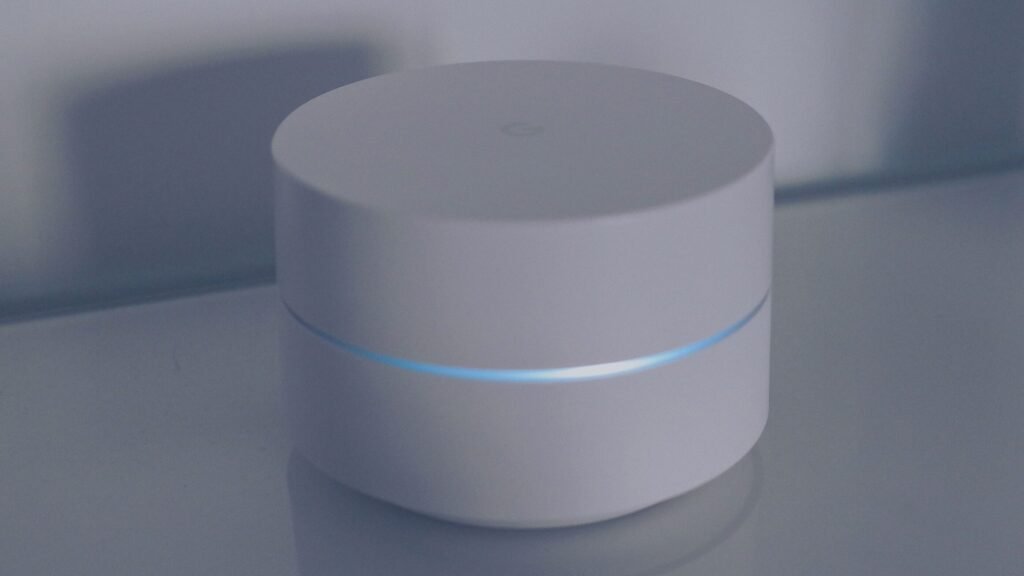
When you press the microphone-off button on a smart speaker, you should not have to wait through a shutdown period. On models with a genuine microphone mute control, wake-word listening stops essentially as soon as the device enters its confirmed muted state. Amazon says the microphone-off control on Echo devices electronically disconnects the microphones. Sonos says the rear microphone switch on certain newer products electrically disconnects all microphones. Google says a muted Nest speaker cannot detect its wake phrase or respond.
There is no honest universal millisecond figure, however. Major manufacturers generally describe what the control does, not a tested switch-latency specification for every model. More importantly, “mute” can mean four different things: disconnect all microphones, turn off only the voice assistant, stop speaker sound, or change a software setting. Those are not equivalent privacy states.
The mute also affects new listening, not information already sent or saved. It does not normally disconnect Wi-Fi, erase voice history, stop music, or silence every other phone and speaker nearby.
Quick Answer
A smart speaker with a dedicated microphone-off switch or button should stop accepting new sound from its microphones essentially immediately once the mute indicator confirms the change. In practical terms, that should be before you could finish another normal sentence—not after a minutes-long delay. I cannot confirm an exact number of milliseconds because Amazon, Google, Apple, and Sonos do not publish one model-independent mute-latency standard.
The control you use determines the real answer:
| Control or situation | Expected time | What actually stops |
| Echo microphone-off button | Essentially immediate after the red mute state appears | Amazon says the microphones are electronically disconnected |
| Google Nest/Home microphone switch | Essentially immediate after the device confirms microphone off | Wake-phrase detection and voice response stop for that device |
| Sonos universal microphone switch on supported models | Essentially immediate after the switch is off | All product microphones are disabled or electrically disconnected, depending on the model documentation |
| Sonos voice-services button | Essentially immediate for voice control | Voice assistants stop listening, but microphones may remain available for features such as Trueplay |
| HomePod “stop listening” or Listen for Siri turned off | After the setting takes effect | Wake-phrase activation stops; touch-and-hold can still activate Siri unless separately disabled |
| Speaker volume set to zero | No privacy effect | Output sound is reduced or muted; the microphone can remain active |
| Voice assistant disabled in an app | Usually after the setting synchronizes | The assistant may stop responding, but the hardware microphone state depends on the product |
| Device unplugged | As soon as stored operating power is gone, normally almost immediately | The entire speaker loses power, network access, microphone processing, playback, and smart functions |
For an ordinary conversation, use the device’s physical microphone control and confirm the manufacturer’s mute light, color, tone, or screen message. For the strongest practical assurance during an especially sensitive conversation, unplug the speaker and check for other voice-enabled devices in the room.
“Listening” Has More Than One Meaning
Smart-speaker privacy discussions become confusing because the word listening is used for several different technical activities.
The microphones receive sound
When the microphones are active, they convert sound waves in the room into electrical or digital signals. That is the hardware-input layer. A control that electrically disconnects the microphone array blocks this layer from supplying new room audio to the speaker’s processing system.
The device checks for a wake phrase
A hands-free assistant must monitor incoming sound for a phrase such as “Alexa,” “Hey Google,” “Siri,” or “Hey Siri.” Manufacturers say this wake detection occurs before ordinary request audio is sent to their servers. Amazon says Echo devices begin streaming to the cloud after detecting the wake word or after button activation, then perform cloud verification. Google says its connected-home devices send audio when they detect an Assistant interaction or when another enabled feature needs audio. Apple says HomePod does not send what you say to Apple servers until it recognizes the Siri phrase or you touch and hold the top before a request.
This limited wake-phrase monitoring is not the same as continuously uploading every room conversation. It does mean the active device must process enough local microphone input to detect its activation phrase.
The assistant processes an active request
After activation, the device may send request audio for cloud processing. Lights, tones, or a display normally indicate that it has entered a listening or processing state. A false activation can begin this stage even when no one intended to speak to the assistant.
The service retains interaction history
Past voice interactions may be represented in an account history or stored on the device or service according to the provider’s settings and policies. Muting the microphone does not automatically delete that earlier information.
The most accurate question is therefore: Does this control stop new microphone input, only wake-word response, only audio output, or only future cloud requests?
The Real Mute Timeline
On a properly working speaker with an all-microphone control, the sequence is short:
- You press or slide the microphone control.
- The device changes the microphone or voice-service state.
- It shows a dedicated confirmation, such as a red light, orange lights, an unlit microphone indicator, a tone, or a spoken notice.
- The muted device no longer responds to its wake phrase.
The manufacturer’s confirmation matters more than trying to count seconds. It tells you that the product recognized the control. If the switch moves but the expected indicator never appears, the safe conclusion is not “it probably muted.” Check the model instructions, try the control again, and unplug the product if privacy is immediately important.
An exact laboratory delay would require a specific model, firmware version, test point, and definition of completion. Does the clock stop when the button moves, when microphone power is interrupted, when wake-word software stops, or when the indicator appears? Consumer documentation does not provide a universal measurement, so claims such as “exactly 100 milliseconds” would be invented precision.
Amazon Echo: What the Microphone-Off Button Does
Amazon’s documentation gives one of the clearest descriptions. Echo devices have a microphone-off control, and Amazon says pressing it electronically disconnects the microphones and illuminates a dedicated red light. Amazon also says Alexa-enabled devices normally stream audio to the cloud after detecting the selected wake word or when Alexa is activated with a button.
For an Echo owner, the practical check is:
- press the microphone-off button;
- look for the dedicated red microphone-off indication;
- say the configured wake word from a normal distance; and
- confirm that this Echo does not respond.
Do not confuse the microphone-off button with the action button, volume-down button, media pause, Do Not Disturb, or an Alexa app notification setting. Those controls have different jobs.
The Echo can remain powered, connected, and useful while its microphones are disconnected. Depending on the model and current activity, it may continue playing audio, sound timers or alarms, receive app-based controls, participate in a speaker group, install updates, and communicate over the network. “Microphones off” is not the same as “device off.”
Google Nest and Google Home: Follow the Physical Control and Indicator
Google documents model-specific microphone switches or buttons on Nest Audio, Nest Mini, Google Home Mini, Google Home, Nest displays, and newer Google Home speakers. The control’s position varies by product. Google says that when the microphone is off, the voice assistant cannot detect the wake phrase or respond. Supported speakers provide a light or spoken confirmation; for example, Nest Audio uses its switch near the power cord, and Google documents solid orange lights for the microphone-off state.
Google’s broader Nest privacy commitments say connected-home devices send audio to Google when an Assistant interaction is detected or when an enabled feature needs audio. Google also promises a visual indicator when an active microphone is sending audio to Google.
For a Google speaker, do not rely on remembering where another model’s switch is located. Use the exact product guide because a button, slider, camera-and-microphone switch, and light pattern can differ among speakers and displays.
Turning the media volume to zero is not the same as moving the microphone switch. Google notes that some assistant responses may still use a minimum volume even when media is at zero, and nothing about a zero-volume control inherently disables sound input.
HomePod: “Stop Listening” Disables the Wake Phrase, Not Every Activation Method
HomePod requires a separate explanation because it does not present the same all-microphone hardware switch described for Echo or newer Sonos speakers.
Apple says you can tell HomePod, “Hey Siri, stop listening,” or turn off listening for “Siri” and “Hey Siri” in the Home app. That prevents wake-phrase requests. Apple also says that when wake-phrase listening is off, a person can still touch and hold the top of HomePod to activate Siri.
To prevent both common activation paths, check two HomePod settings:
- turn off listening for “Siri” or “Hey Siri”; and
- turn off Touch and Hold for Siri if you do not want touch activation.
This is a voice-assistant configuration, not a documented electrical disconnection of all microphones. Apple says nothing you say is sent to its servers until HomePod recognizes the Siri phrase or someone uses touch-and-hold activation. That supports a distinction between local wake monitoring and server transmission, but it should not be rewritten as a claim that HomePod has a physical microphone kill switch.
HomePod may still play AirPlay audio, timers, alarms, doorbell chimes, and other permitted content after wake-phrase listening is disabled. Turning off Siri listening also does not delete previous Siri interactions; Apple provides a separate Delete Siri History control.
Sonos: Voice Mute and Microphone Mute Can Be Different Buttons
Sonos provides the best example of why reading the control label matters. Certain products, including Era models, have two separate privacy controls:
- A voice-services button turns voice control on or off.
- A rear universal microphone switch turns all product microphones on or off.
Sonos explicitly says the voice-services button does not disable the microphones. With the rear switch still on, microphones may remain available for Trueplay room tuning and other microphone-enabled features even though voice services are off. On documented models such as Era 100 Pro, the rear switch electrically disconnects all microphones.
This creates three distinct states:
| Sonos state | Voice assistant | Other microphone features |
| Voice services on; universal mic switch on | Available | Available |
| Voice services off; universal mic switch on | Unavailable | Features such as Trueplay can remain available |
| Universal mic switch off | Unavailable | All product microphone-dependent features are unavailable |
Older voice-enabled Sonos products may use a microphone button rather than the same two-control design. Sonos says the microphone light indicates whether the microphone is enabled. Always follow the guide for the exact model instead of transferring Era instructions to every Sonos speaker.
Muting the Speaker Volume Does Not Mute the Microphone
The everyday word mute often refers to silencing a television, phone call, or speaker. On a smart speaker, that can cause a serious misunderstanding.
The two audio directions are separate:
- Output: music, alarms, assistant replies, calls, and tones coming from the speaker.
- Input: room sound entering the microphones.
Setting output volume to zero may make the device quiet while leaving its microphones and wake-word system active. Muting a song, pausing playback, enabling Do Not Disturb, lowering announcement volume, or ending a call also does not necessarily disable microphone input.
Look for a crossed-out microphone symbol, a physical mic slider or button, and the model’s documented privacy indicator. A crossed-out speaker icon normally describes output instead.
What Happens to Audio Already in Progress?
Microphone mute protects against new input after the muted state takes effect. It cannot travel backward in time.
If the assistant activated before you pressed mute, some audio associated with that interaction may already have been processed or transmitted. I cannot confirm that every speaker model, firmware version, and active feature terminates an in-progress stream at the identical point. Manufacturer consumer guides do not publish that level of transition detail.
The cautious procedure during an accidental activation is:
- press the microphone-off control;
- confirm the mute indicator;
- stop or cancel the active request if the product provides a separate control;
- review recent voice activity in the provider’s account tools; and
- delete the relevant interaction if desired and supported.
Muting now and deleting history are complementary actions. The first limits new microphone input; the second manages past interactions.
Does the Speaker Keep a Few Seconds in a Buffer?
Wake-word systems must analyze a short moving window of local audio to detect their activation phrase. That working audio and a saved account recording are not automatically the same thing. The manufacturer descriptions from Amazon, Google, and Apple emphasize that ordinary request audio is sent after a detected interaction or deliberate activation.
It is reasonable to understand a rolling detection window as temporary processing, but its exact size, retention, and behavior are product-specific. Do not assign one universal “three-second” or “ten-second” buffer to all smart speakers unless the manufacturer documents it for that product.
When a true all-microphone switch is engaged, no new room sound should enter through the disconnected microphones. Muting does not necessarily erase a local working buffer that existed a moment earlier, nor does it delete an interaction already associated with the account.
What Can a Smart Speaker Still Do While Muted?
A muted microphone can leave most nonvoice functions intact. Depending on the model, setup, and service, the speaker may still:
- play music sent from an app, Bluetooth device, or AirPlay source;
- respond to physical touch controls;
- receive volume, playback, or smart-home instructions from a phone app;
- sound alarms, timers, reminders, and safety notifications;
- work as part of a stereo pair, home-theater setup, or multiroom group;
- maintain Wi-Fi, Bluetooth, Matter, Thread, Zigbee, or other supported connections;
- download software and security updates;
- show time, weather, photos, or other display content; and
- send ordinary operational or diagnostic network traffic permitted by its settings.
This network activity does not by itself prove microphone audio is being uploaded. A connected speaker has many reasons to exchange data. At the same time, a mic-off light should not be described as an internet-off light.
If your goal is to stop all device communication rather than stop listening, use the product’s power control where one exists, unplug it, or isolate it through a carefully managed network policy. Turning off Wi-Fi without cutting power may not disable Bluetooth, local processing, or every radio on every model.
Does Network Traffic Mean a Muted Speaker Is Still Listening?
Not by itself. A powered smart speaker can contact its provider for time synchronization, software updates, account state, music services, device-control messages, connectivity checks, and other operations that do not require room audio. A router activity light or network-monitoring app normally shows that data moved; it does not reveal, by itself, that the packets contained microphone audio.
The reverse is also important. A quiet network graph is not proof that no local microphone processing occurred. Wake-phrase detection is designed to begin on the device, so a speaker can process sound locally without creating an obvious continuous upload. The microphone state, wake-phrase state, cloud-transmission state, and network-connection state must be evaluated separately.
If a muted product exchanges data and you want to investigate it, record the exact time, model, firmware version, destination information visible in your network tools, and what the speaker was doing. Compare the behavior with the manufacturer’s documentation or request model-specific support. Consumer router logs rarely provide enough detail to identify the contents of encrypted traffic.
Do not block random provider domains merely because they appear active. Broad blocking can interfere with security updates, timekeeping, music, account authentication, and device control without creating a dependable microphone safeguard. The documented microphone switch or complete power removal is a clearer control.
What Happens to Sound Detection and Room-Tuning Features?
Some smart audio products use microphones for more than a voice assistant. Possible functions include acoustic room tuning, sound recognition, call features, intercom functions, or other model-specific audio services. Their behavior depends on which type of mute you selected.
An all-microphone disconnect should make every feature that requires those microphones unavailable. Sonos states this directly: turning off the universal microphone switch disables microphone-dependent features such as voice services and Trueplay quick tuning. Turning off only Sonos voice services is different because Trueplay and other microphone-enabled functions can remain available.
This distinction should guide other products too, but do not assume Sonos behavior proves how another manufacturer designed its device. Check whether the control says Microphone Off, Voice Assistant Off, Stop Listening for the Wake Phrase, or Speaker Mute. If a sound-detection feature must remain available, an all-microphone switch may disable it. If privacy is the priority, leaving a microphone-dependent feature enabled is not equivalent to disconnecting every microphone.
The feature’s app status may take a moment to refresh even when the physical microphone state changes promptly. Use the on-device indicator as the immediate confirmation and the app as a secondary check.
Muting One Speaker Does Not Mute the Others
Homes often contain several devices that respond to the same or similar phrases: smart speakers, displays, phones, tablets, watches, televisions, soundbars, earbuds, vehicles, and remote controls.
When one speaker is muted, another device can still hear the wake phrase. Apple explains that nearby Siri devices can communicate to decide which one should respond. Amazon and Google ecosystems likewise may include several independent voice-enabled products.
Before a sensitive conversation, scan the room for:
- a second speaker or smart display;
- a phone with hands-free assistant activation;
- a television or streaming remote with a microphone;
- a security camera with audio enabled;
- a soundbar or conference device with its own assistant;
- a wearable or earbud; and
- a visitor’s device.
Each device needs its own control. Muting the kitchen Echo does not change the microphone state of a nearby phone, Nest Hub, Sonos soundbar, or baby monitor.
How to Confirm That Mute Worked
Use a simple model-specific test rather than an app label alone.
Check the physical state
Make sure you operated the microphone control—not volume, play/pause, Do Not Disturb, or voice-service selection. On a speaker with a sliding switch, confirm it reached the full off position.
Check the documented indicator
Examples include Echo’s red microphone-off light, Google speaker orange lights or spoken mute notice, and Sonos microphone or voice-service indicators. The exact color and pattern are model-specific.
Test the wake phrase
From the same room, say the configured wake phrase once at normal volume. A properly muted device should not enter its listening state. Do not repeatedly shout at it; another device may respond and create confusion.
Separate assistant mute from all-microphone mute
On Sonos products with two controls, confirm whether you disabled only voice services or used the rear universal microphone switch. On HomePod, remember that disabling the wake phrase does not prevent touch-and-hold activation unless that setting is also off.
Use power removal when the result is uncertain
If the speaker still responds, the indicator is wrong, the switch feels damaged, or privacy cannot wait for troubleshooting, unplug the device. Then identify whether the response came from a different product.
Why a Speaker Might Respond After You Thought You Muted It
The cause is often less mysterious than a failed privacy control:
- You muted the output volume rather than the microphone.
- You disabled one voice service but left another microphone feature available.
- A different speaker, phone, watch, television, or soundbar responded.
- The physical switch did not reach its off position.
- You changed an app setting that had not yet synchronized.
- The assistant had already activated before mute was pressed.
- The light you saw represented Do Not Disturb, a notification, or a network condition—not microphone off.
- A touch control activated the assistant even though wake-word listening was disabled.
Record the exact model name and indicator pattern. Compare them with the current manufacturer guide. Rebooting may clear a temporary fault, but do not use a factory reset as the first response; it can erase configuration without proving what happened.
If the device repeatedly accepts wake words while its documented all-microphone control and indicator show off, disconnect power and contact the manufacturer. A damaged switch, incorrect indicator, firmware problem, or mistaken device identification deserves model-specific support.
Is a Physical Switch Always a Hardware Kill Switch?
Not necessarily. A plastic slider can signal software, operate an electronic disconnect, or physically interrupt part of a circuit. Its outward shape does not prove the internal design.
Use the manufacturer’s exact wording:
- Amazon says Echo microphone-off controls electronically disconnect the microphones.
- Sonos says some rear microphone switches electrically disconnect all microphones; other product pages may use the broader word disabled.
- Google says its microphone-off state prevents wake-phrase detection and response, but the cited consumer pages do not universally describe the internal circuit for every model.
- Apple describes turning off Siri wake-phrase listening on HomePod, not a physical all-microphone switch.
This is why the article cannot responsibly give one hardware claim for every smart speaker. Third-party Alexa, Google, Siri, and multi-assistant products can implement their own controls. Check the manufacturer, model, and manual—not just the assistant brand printed on the box.
Is Unplugging Better Than Muting?
For everyday privacy, a documented microphone-off control with the correct indicator is designed for the job and preserves useful functions. Unplugging is more disruptive but easier to reason about: without operating power, the speaker cannot perform active microphone processing or communicate over its radios.
Unplugging is the stronger practical choice when:
- the conversation is unusually sensitive;
- you do not trust or understand the available mute control;
- the expected indicator does not appear;
- the device behaves as if it is still listening;
- you are staying in a hotel or rental with an unfamiliar speaker; or
- the product is damaged, obsolete, unsupported, or no longer under your control.
Battery-powered speakers need to be powered off, not merely disconnected from their charger. Some products take a deliberate long press to shut down. A device with backup power may remain active after its cable is removed, so confirm its power indicator is off.
Unplugging still does not delete earlier recordings or account history. It also does not disable other devices in the room.
A Privacy Checklist for Smart Speakers
For an ordinary private conversation
- Identify every microphone-equipped device nearby.
- Use each device’s documented microphone-off control.
- Confirm the correct mute indicator.
- Test the wake phrase once.
- Unplug any device whose state is uncertain.
For daily household use
- Review voice history and retention settings periodically.
- Disable voice purchasing or sensitive personal features you do not use.
- Protect the associated account with a unique password and multifactor authentication.
- Remove former household members and unfamiliar linked accounts.
- Keep device software updated.
- Explain microphone indicators to family members and guests.
Before selling, returning, or giving away a speaker
- Delete or review voice history as appropriate.
- remove the device from its home, household, and account;
- complete the manufacturer’s factory-reset procedure;
- remove personal Bluetooth pairings and linked services where applicable; and
- confirm that the product starts in new-device setup mode.
Mute is a temporary input control. It is not an account-cleanup, data-deletion, ownership-transfer, or factory-reset procedure.
Related Articles
If you are examining privacy signals and hidden device behavior, these related guides may also help:
- How Long Does It Take for an Email Tracking Pixel to Report That You Opened a Message?
- How Long Does It Take for a Device to Stop Sharing Your Location?
- How Long Does It Take for a Security Camera to Upload a Recording?
- How Long Does It Take for a Password Change to Sign You Out Everywhere?
- How Long Does It Take a Smart Home to Reconnect After a Power Outage?
Frequently Asked Questions
Does a smart speaker stop listening the instant you press mute?
On a properly working model with an all-microphone control, it should stop accepting new microphone input essentially as soon as the confirmed mute state takes effect. Manufacturers do not publish one universal millisecond specification, so verify the model’s mute indicator instead of relying on an invented exact delay.
How can I tell whether my smart speaker is really muted?
Use the manufacturer’s documented indication: Echo commonly shows a dedicated red light, supported Google speakers use model-specific lights or a spoken notice, and Sonos uses microphone or voice-service indicators. Say the wake phrase once and confirm that the muted device does not enter a listening state.
Does the mute button delete previous voice recordings?
No. Microphone mute controls future input. Amazon, Google, Apple, and other services provide separate account or device controls for reviewing or deleting earlier voice activity. Muting cannot retract audio that was already transmitted or retained.
Can Alexa hear me when the Echo microphone light is red?
Amazon says pressing the microphone-off control electronically disconnects Echo microphones and illuminates a dedicated red light. Confirm that the red indication is the model’s microphone-off state rather than another status, and unplug the device if it behaves inconsistently.
Can Google Nest still respond when its microphone is off?
Google says the assistant cannot detect its wake phrase or respond when the microphone is off. The speaker can still perform nonvoice functions, such as app-controlled playback or alarms, and another Google device nearby may respond instead.
Does saying “Siri, stop listening” turn off HomePod’s microphones?
It turns off listening for the Siri wake phrase. Apple says touch-and-hold can still activate Siri afterward unless that activation method is separately disabled. Apple does not describe this command as an electrical all-microphone disconnect.
Is turning Sonos voice services off the same as turning all microphones off?
Not on models with two controls. Sonos says the top voice-services button can disable voice control while microphones remain available for Trueplay and other features. Use the rear universal microphone switch to turn off all product microphones on supported models.
Does setting the speaker volume to zero stop it from listening?
No. Volume controls affect sound coming out of the speaker. Microphone controls affect sound going into it. Look for the microphone-off switch or button and its privacy indicator.
Can the speaker upload audio after I mute it?
An all-microphone disconnect should prevent new room audio from entering through those microphones. Audio associated with an interaction that began before mute may already have been processed or sent. I cannot confirm identical in-progress-stream behavior for every model and firmware version.
Does a muted smart speaker remain connected to Wi-Fi?
Usually yes. It may play app-selected music, receive controls, sound alarms, update software, and exchange operational data. A microphone-off indicator is not a network-disconnection indicator.
Can another device listen after I mute one smart speaker?
Yes. Every speaker, display, phone, watch, television, soundbar, camera, and remote has its own microphone state. Muting one device does not control the others.
Is a physical mute switch safer than an app setting?
A manufacturer-documented electrical microphone disconnect provides a clearer boundary than a voice-assistant preference. However, a switch’s physical appearance alone does not reveal its internal design. Read the exact model documentation and confirm its indicator.
Should I unplug a smart speaker during a confidential conversation?
Unplugging or fully powering off provides the strongest straightforward assurance when the device has no battery. It is sensible for unusually sensitive conversations, unfamiliar products, or a mute control that does not confirm correctly. Check for other powered microphone devices too.
Why did my speaker answer even though I muted it?
You may have muted output, disabled only one voice service, used an unsynchronized app setting, or heard another device answer. The assistant may also have activated before you pressed mute. Check the exact model, physical switch, indicator, and nearby devices.
Quick Summary
A properly working smart speaker with a true microphone-off control should stop accepting new room audio essentially immediately after the device confirms that it is muted. There is no credible universal millisecond figure because manufacturers do not publish one latency specification across all models and controls.
Amazon says Echo microphone-off buttons electronically disconnect the microphones and show a dedicated red light. Google says a Nest or Home speaker with its microphone off cannot detect the wake phrase or respond. Newer Sonos products can have two different controls: the voice-services button stops voice control while leaving microphones available for features such as Trueplay, whereas the rear universal microphone switch turns off all microphones. HomePod’s “stop listening” setting disables wake-phrase activation, but touch-and-hold can still activate Siri unless that option is also turned off.
Muting the microphone does not normally disconnect Wi-Fi, stop playback, erase past voice interactions, or mute other devices. It also cannot recall audio processed before the mute state took effect. Confirm the model’s physical control and documented indicator, then test the wake phrase once. If the state is uncertain or the conversation is especially sensitive, unplug or fully power off the device and check for other microphones nearby.
Sources & References
- Amazon Alexa Smart Properties: Privacy and Microphone Controls
- Amazon Alexa Voice Interoperability: Human Interface Design
- Amazon Alexa Voice Interoperability: Privacy and Security
- Google Safety Center: Google Nest Security and Privacy Commitments
- Google Home and Nest Help: Fix Issues With “Hey Google”
- Google Home and Nest Help: Learn What the Lights Mean on Your Speaker
- Apple HomePod User Guide: HomePod Privacy and Security
- Apple HomePod User Guide: Change HomePod Settings
- Apple Support: How Siri Works With Multiple Devices
- Sonos Support: Using Touch Controls on Sonos Products
- Sonos Product Guide: Era 300
- Sonos Support: Sonos LED Lights
Editorial Review
Reviewed by Claire Bennett, Managing Editor
Last reviewed: October 2026
Quick Answer Guide publishes practical, research-based answers to common questions about money, technology, health, travel, home improvement, and everyday life. Content is reviewed using official government resources, educational institutions, industry publications, and other authoritative sources when appropriate. Articles are updated periodically to improve accuracy and usefulness.