
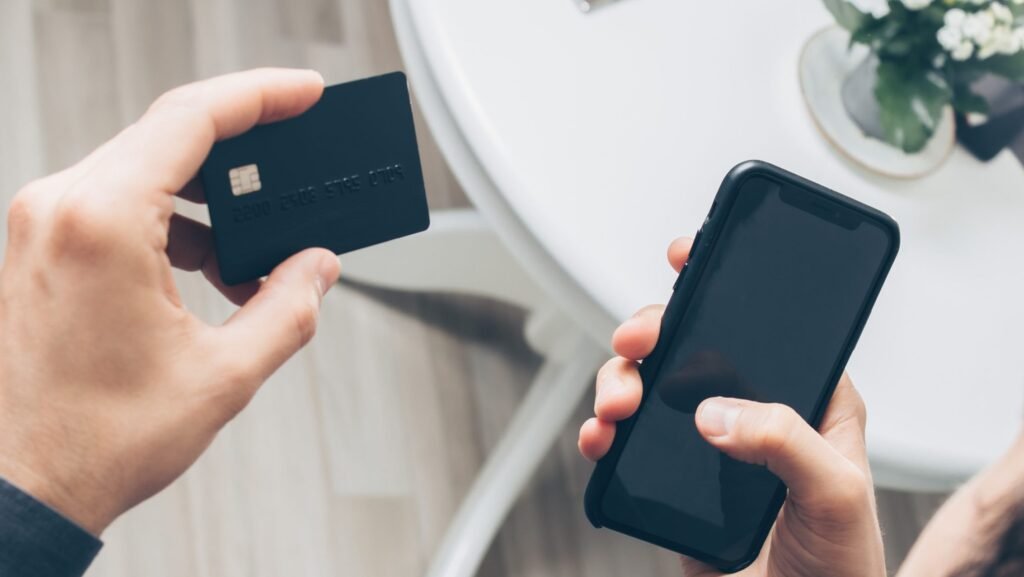
Before using a new credit card, the issuer will usually ask you to activate it. This brief security step confirms that the physical card reached the person connected to the account. Most issuers let you complete activation through a mobile app, secure website, or automated phone system, and the card should generally be ready to use as soon as activation is confirmed.
Quick Answer
Activating a credit card usually takes about 2 to 10 minutes, although the exact time depends on the issuer and the activation method. Mobile-app and online activation are often completed within a few minutes, while an automated phone call may take slightly longer. Most cards can be used immediately after successful activation. If a card is still declined, confirm that activation was completed and that the account is not locked or restricted. Do not assume a 24-hour wait is required unless your issuer specifically tells you that additional processing is underway.
Typical Credit Card Activation Timeline
| Activation method | Typical timing and result |
| Mobile banking app | Usually completed within a few minutes. |
| Issuer’s secure website | Usually about 2 to 10 minutes. |
| Automated phone system | Usually about 2 to 10 minutes. |
| Customer service representative | Several minutes or longer if additional verification is required. |
| Card ready for purchases | Usually immediately after activation is confirmed. |
These are practical estimates rather than guarantees. Capital One says activation typically takes minutes, and Discover says a card should generally be usable right afterward.
What Happens When You Activate a Credit Card?
Most new credit cards are mailed in a deactivated state. According to the Consumer Financial Protection Bureau, this helps prevent unauthorized use if a card is stolen before it reaches the cardholder.
During activation, the issuer confirms that you received the card and that the information provided matches its records. Once the verification is successful, the issuer changes the card’s status so it can be used.
Activation does not reopen a restricted account, change the credit limit or interest rate, guarantee that every purchase will be approved, or replace online-account registration. The credit card account is generally opened when the application is approved—not when the physical card is activated.
How to Activate a Credit Card
Always follow the instructions provided by your card issuer. The available methods vary, but most cards can be activated in one of three ways.
Through the issuer’s mobile app
If the card already appears in your banking app, select it and look for an option such as Activate Card, Confirm Card, or Verify Receipt. You may need to enter the card’s expiration date or security code.
This is often the simplest method because signing in to the app helps the issuer verify your identity. Use the issuer’s official app rather than following an activation link from an unexpected email or text message.
Through the issuer’s website
Go directly to the address printed on the card or its activation sticker. Sign in or create online access, select the new card, and follow the prompts. Check the spelling of the web address before entering card or personal information.
By phone
Call the number printed on the activation sticker or the back of the card. An automated system may ask for the card number, date of birth, ZIP code, security code, or another identifying detail.
Calling from the phone number listed on the account may make verification easier. If the automated system cannot confirm your information, it may transfer you to a representative.
What Information Will You Need?
Requirements vary, but you may be asked for:
- the credit card number;
- the expiration date;
- the three- or four-digit security code;
- your billing ZIP code;
- the last four digits of your Social Security number;
- a one-time security code sent to your phone or email; or
- your online banking sign-in information.
If someone contacts you unexpectedly and asks for a password, PIN, or one-time code, end the communication and contact the issuer through its official app or the number printed on the card.
Can You Use the Card Immediately After Activation?
Usually, yes. Once you receive confirmation, the physical card should normally work for purchases.
Still, activation does not guarantee that a specific transaction will be approved. A purchase might be declined because:
- the merchant entered the information incorrectly;
- the billing address or security code does not match;
- the purchase exceeds the available credit;
- the issuer flags the transaction as unusual;
- the account is locked or restricted;
- the card has been replaced and the old card number is no longer valid; or
- the merchant does not accept the payment network.
If the first purchase fails, try a modest purchase at a different merchant or check the app for an alert. Contact the issuer if the card’s status is unclear or repeated transactions are declined.
Why Credit Card Activation May Take Longer
Activation normally takes minutes, but the process can stall when the issuer cannot complete its security checks.
The information does not match
A recently changed address, telephone number, or name may not match the issuer’s records. A typing mistake can also prevent activation.
The issuer needs additional identity verification
An issuer may require help from a representative after several unsuccessful attempts or when an unfamiliar device or location triggers security checks.
The account is locked or restricted
Activation cannot override a security lock, past-due restriction, closed account, or suspected-fraud review. The issuer must resolve the underlying account issue.
The card is not linked to online banking
A card may not appear in the app if online enrollment is incomplete or it is linked to another username. Phone activation may still work.
The issuer’s app or website is unavailable
A temporary service problem can interrupt online activation. Try the number printed on the card instead. If multiple methods fail, contact customer service rather than risking a security lock through repeated attempts.
What If the Card Still Does Not Work?
First, confirm that you saw or heard a successful activation message. Then check the app or online account for a lock, fraud alert, or request for additional verification.
If the card is still declined:
- Make sure you are using the new card rather than an expired or replaced one.
- Confirm the expiration date, security code, and billing address.
- Check the available credit and account status.
- Respond to any legitimate fraud alert in the issuer’s app.
- Call the number printed on the back of the card.
Avoid repeatedly attempting the same purchase while activation is uncertain because additional declines may trigger fraud controls.
Can You Activate a Credit Card Before It Arrives?
Usually, you need information printed on the physical card before you can activate it. Some issuers, however, give eligible customers a virtual card number or instant account access after approval.
A virtual card is not the same as activating the plastic card. It may allow online purchases while you wait, but the physical card may still require separate activation.
What Happens If You Never Activate the Card?
Failing to activate the plastic card usually prevents you from using it, but it does not necessarily close the credit card account. The account may remain open, and an annual fee can still be charged if the card agreement includes one.
An unactivated account may continue to appear on your credit reports. If you no longer want it, contact the issuer about closing it. Cutting up or ignoring the card does not cancel the account.
Leaving the envelope unopened is also not a security plan. If the card is missing, lost, or stolen, report it immediately so the issuer can block the card and send a replacement.
Does Activation Affect Your Credit Score?
Activating the physical card does not normally create a new credit inquiry or directly change your credit score. The credit application and opening of the account occurred earlier.
The account itself can affect your credit after it is opened, whether or not you activate the card. Relevant factors include the application’s hard inquiry, account age, available credit, reported balances, credit utilization, and payment history.
This is why deciding not to activate a card is not the same as deciding not to open the account. By the time the card arrives, the account usually already exists.
New Cards, Replacement Cards, and Authorized-User Cards
- Replacement cards: A replacement often requires activation even though the account is already open. If card details changed, review recurring payments and digital wallets. Destroy the old card after the replacement works.
- Authorized-user cards: Many issuers let an authorized user activate the card issued in that person’s name. Others require the primary cardholder to verify the account first.
- Business cards: Business and employee cards generally require activation. Each employee card may need to be activated separately, and an account administrator may need to approve spending controls.
What Should You Do After Activation?
Once the card is active:
- Set up online access if you have not already done so.
- Turn on purchase, balance, and payment alerts.
- Review the credit limit, interest rate, fees, rewards, and due date.
- Set up automatic payment or a reliable payment reminder.
- Add the card to a digital wallet if desired.
- Update recurring charges if this is a replacement card.
- Securely destroy activation paperwork that contains account information.
If the card has a signature panel, follow the issuer’s instructions about signing it. Card designs and issuer requirements vary.
Related Articles
If you are applying for a credit card, managing an existing account, or waiting for another financial transaction, these related guides may also help:
- How Long Does It Take to Get a Credit Card?
- How Long Does It Take to Get a Refund on a Debit Card?
- How Long Does It Take to Dispute a Credit Card Charge?
- How Long Does It Take to Get a Car Loan?
- How Long Does It Take to Transfer Money Between Banks?
Frequently Asked Questions
Do all credit cards have to be activated?
Most issuers require activation before a new physical card can be used. Follow the instructions that arrive with the card because procedures vary.
How do I know whether activation was successful?
The app, website, or phone system should provide a confirmation. You may also receive an email or text. If you are unsure, check the card status in your account or call the issuer.
Can I activate a credit card without calling?
Usually, yes. Many issuers offer activation through their secure website or mobile app.
Why is my activated credit card being declined?
The problem may be unrelated to activation. Common causes include an incorrect security code or billing address, insufficient available credit, a locked account, a fraud alert, or use of an old replacement card.
Can I activate a card while traveling outside the United States?
Online or app activation may work, but an issuer may request additional verification after detecting an unfamiliar location. International telephone options differ by issuer. Use the number provided in the app, on the card, or on the issuer’s official website.
Does an authorized user activate a separate card?
Often, yes. The card issued in the authorized user’s name may have its own activation process. Some issuers require help from the primary cardholder.
Is activating a credit card the same as registering for online access?
No. Activation allows the physical card to be used. Online registration gives you access to account-management tools. Some issuers combine the steps, while others treat them separately.
Can a bank refuse to activate a card?
Yes. An issuer may decline or delay activation if it cannot verify the cardholder or if the account is closed, restricted, or under a security review. Only the issuer can explain and resolve the specific problem.
Quick Summary
Credit card activation normally takes only a few minutes. The fastest options are usually the issuer’s app or secure website, although calling the number printed on the card works for most accounts. Once activation is confirmed, the physical card should generally be ready to use immediately. A routine 24-hour wait is not standard.
Activation confirms receipt of the card; it does not open the account, change the credit limit, or guarantee every transaction. If the card is declined, verify that you are using the current card and check for a fraud alert, account lock, or other restriction.
Not activating the card does not necessarily cancel the account. Annual fees may still apply, and the open account may still appear on your credit reports. If a card is lost, stolen, or never arrives, contact the issuer immediately rather than waiting to see whether someone attempts to activate it.
For security, activate the card only through the issuer’s official app, website, or the number printed on the card. Never provide a password, PIN, or one-time verification code to someone who contacts you unexpectedly.
Sources & References
- Consumer Financial Protection Bureau: My new credit card won’t work. What should I do?
- Capital One: How to Activate a Credit Card
- Discover: How to Activate a Credit Card
- Chase: What Happens if You Don’t Activate Your Credit Card?
- Federal Trade Commission: Lost or Stolen Credit, ATM, and Debit Cards
Editorial Review
Reviewed by Claire Bennett, Managing Editor
Last reviewed: July 2026
Quick Answer Guide publishes practical, research-based answers to common questions about money, technology, health, travel, home improvement, and everyday life. Content is reviewed using official government resources, educational institutions, industry publications, and other authoritative sources when appropriate. Articles are updated periodically to improve accuracy and usefulness.