
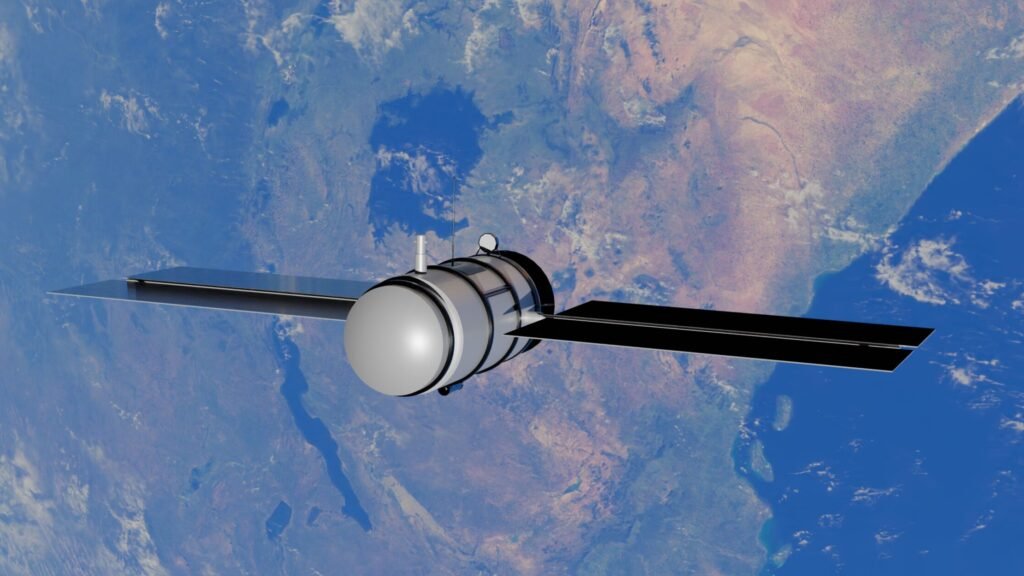
A satellite message can reach a connected recipient in less than a minute—or sit undelivered for an hour or longer. The difference usually has little to do with how fast radio waves travel through space. It depends on how long the sender’s device takes to find a usable satellite, whether the message is accepted by the satellite network, how it is routed to the recipient, and whether the receiving device is awake, connected, and checking for new messages.
For current consumer systems, about 30 seconds to several minutes is a practical sending range when the user is outdoors with a clear view of the sky. Apple says a message sent through its satellite service may take about 30 seconds in ideal conditions and more than a minute under light or medium foliage. Garmin says an inReach message can send in 30 seconds to one minute under ideal conditions and may take up to five minutes depending on the surroundings.
However, “sent” does not always mean “seen.” A message delivered from the satellite network to an ordinary phone may still wait because that phone is off, offline, or outside cellular coverage. A message sent to another satellite communicator may remain queued until the receiving device performs its next mailbox check. In an emergency, the initial SOS message may be transmitted quickly, but receiving a human reply and getting rescuers to the location are separate timelines.
Quick Answer
A short satellite message commonly takes 30 seconds to several minutes to send when the device has a clear view of the sky. Under trees, beside cliffs, between buildings, inside a vehicle, or with a poorly aimed antenna, it may take longer or fail until the user moves. Delivery to an ordinary connected phone or email account may follow shortly after the satellite network accepts it. Delivery to another satellite device can be delayed by that device’s listening schedule—sometimes until a manual check or an automatic check as much as an hour later on certain devices and settings.
Use these as planning ranges, not guarantees:
| Satellite-message situation | Practical time range | What may still be unfinished |
| Smartphone satellite text with a clear sky view | About 30 seconds to a few minutes | Recipient notification and reading |
| Smartphone message under light or medium foliage | More than a minute is possible | Retries may continue as the satellite moves |
| Dedicated communicator sending in ideal conditions | About 30 seconds to 1 minute | Delivery through SMS, email, or an app |
| Dedicated communicator with partial sky obstruction | Up to 5 minutes or longer; failure is possible | User may need to move and resend |
| Incoming reply to a communicator that is actively listening | Often within minutes | Exact timing depends on model and mode |
| Incoming reply to a low-power or intermittently checking device | Minutes to as much as an hour or longer | Message can wait in the provider’s queue |
| Emergency SOS message | Initial transmission may take minutes | Human response, dispatch, and physical rescue take longer |
| Heavy obstruction or no compatible service coverage | Indefinite until conditions change | The message may remain queued or fail |
No universal service-level promise covers every satellite, device, country, landscape, and recipient. Check the exact instructions and delivery indicators for the service you will use.
“Reach Someone” Can Mean Five Different Things
Satellite-message timelines become confusing because people use delivered for several separate milestones.
1. The sender presses Send
The message enters the device’s outgoing queue. It may not have reached a satellite yet. Some interfaces display a sending indicator while instructing the user to turn, tilt, or move toward a clearer part of the sky.
2. The satellite network accepts the message
The device establishes a radio link, transmits the data, and receives enough confirmation to mark the upload as successful. This is often what a checkmark or “sent” status means. The exact meaning varies by product.
3. The message reaches the provider’s ground system
The satellite routes or relays the message to a ground gateway and the provider processes it. The system may translate the message into SMS, email, an app notification, a web message, an emergency-relay record, or a message destined for another satellite device.
4. The recipient’s service accepts it
The recipient’s cellular carrier, email provider, messaging platform, or satellite mailbox receives the message. At this stage, the message may be technically delivered to an account but not yet downloaded by the person’s device.
5. The person notices and reads it
The recipient must have a powered device, a usable connection, notifications or mailbox access, and an opportunity to look. A satellite network can do its part correctly while the person remains unreachable.
When someone says a satellite message “took two hours,” the radio transmission may have finished in one minute. The remaining time may have been a sleeping recipient, a powered-off communicator, a one-hour mail-check interval, or a phone without terrestrial coverage.
The Path a Satellite Message Takes
A basic consumer satellite message may follow this path:
- The sender’s phone or communicator creates and compresses a short message.
- The device acquires its position and service information.
- It searches for and connects to a compatible satellite.
- The message travels from the device to the satellite.
- The satellite relays it to a ground gateway or through other satellites toward a gateway.
- The provider validates the account, destination, and message.
- The provider hands it to an SMS carrier, email system, app, emergency center, or another satellite mailbox.
- The recipient’s device downloads and displays it.
Every step can add delay, but they do not add equal amounts. The pure spaceflight portion is usually extremely short. Finding a link, completing radio handshakes, retrying lost packets, waiting for a gateway, and reaching the recipient account take much longer.
Some systems use a bent-pipe design: the satellite relays the signal between a user and a visible ground gateway. Other constellations have crosslinks that can pass data among satellites before it descends. Some services use store-and-forward behavior when the next route is not immediately available.
The sender does not need to know the architecture to use the product, but the architecture explains why two devices under the same sky can behave differently.
How Long Does the Signal Itself Spend in Space?
Much less time than the message-delivery screen suggests.
NIST defines the speed of light in a vacuum as exactly 299,792,458 meters per second, or approximately 299,792 kilometers per second. Radio signals propagate at essentially that speed through space, although equipment and the atmosphere add processing and propagation effects.
Example: a low Earth orbit satellite at 550 kilometers
For a simplified best-case path directly up to a satellite and back down to a gateway:
550 km up + 550 km down = 1,100 km
1,100 km ÷ 299,792 km/s = 0.00367 seconds
That is about 3.7 milliseconds of idealized propagation time. A real path is longer because the satellite is rarely directly overhead, and routing may involve a farther gateway or additional satellites. Even so, the radio’s travel through space is not what turns the process into a 30-second send.
Example: a geostationary satellite at 35,786 kilometers
For a simplified one-way ground-to-satellite-to-ground path:
35,786 km up + 35,786 km down = 71,572 km
71,572 km ÷ 299,792 km/s = 0.2387 seconds
That is about 239 milliseconds before counting slant distance and equipment processing. An acknowledgement traveling back over the same type of path doubles the idealized propagation time:
0.2387 × 2 = 0.4774 seconds, or about 477 milliseconds.
NASA identifies geostationary altitude as approximately 35,786 kilometers. The International Telecommunication Union notes that low Earth orbit systems operate within about 2,000 kilometers and that the lower altitude reduces latency.
These calculations explain why geostationary voice or video feels delayed. They do not predict how long a short message will take to display. A message can tolerate half a second of propagation while spending much longer waiting for connection, retries, processing, and recipient availability.
Why a LEO Satellite Does Not Stay in One Place
Many consumer messaging systems use satellites in low Earth orbit, or LEO. These satellites move rapidly across the sky. A phone or communicator may have only a limited period to use one satellite before it must connect through another.
That motion has advantages. The satellites are relatively close, allowing small, low-power devices to reach them. A constellation of many satellites can provide broad or global coverage. But the user’s antenna and surroundings must allow a suitable line of sight at the right time.
A satellite that is currently low behind a ridge may move into view. One that was available may disappear behind trees. The device may ask the user to turn because its antenna pattern and the satellite’s location need better alignment. The network may schedule a retry with the same satellite or wait for another opportunity.
This is why standing still in an open clearing can work better than walking beneath alternating trees and rock walls. The signal path is changing even when the user is not.
How Long Does Smartphone Satellite Messaging Take?
Current smartphone satellite services are designed for short, low-bandwidth communication rather than the continuous experience of cellular messaging.
Apple’s official guidance states that, with a direct view of the sky and horizon, a message may take about 30 seconds to send. Under trees with light or medium foliage, it may take more than one minute. Heavy foliage or surrounding obstructions can prevent connection.
The exact end-to-end time still depends on:
- how quickly the phone establishes the satellite link;
- whether the user follows the on-screen pointing instructions;
- message length;
- satellite-network status and availability;
- the path from the provider to the recipient’s messaging service;
- whether the recipient is online; and
- whether the conversation supports that service’s satellite feature.
Some smartphone services restrict photos, videos, audio, group messages, or other rich features while on satellite. These restrictions are not arbitrary. A short text requires far less capacity and connection time than a large attachment.
The phone may also need current software, compatible hardware, an eligible carrier or service arrangement, a supported region, and previous setup. Because availability changes, users should check their device manufacturer and carrier before leaving cellular coverage rather than assuming that a satellite icon guarantees service everywhere.
How Long Does a Dedicated Satellite Communicator Take?
Dedicated communicators are designed around remote messaging and may have antennas, battery modes, plans, and interfaces different from a phone.
Garmin’s current inReach guidance gives a useful real-world range: under ideal conditions, messages can send in 30 seconds to one minute, but the process may take up to five minutes depending on the surroundings. The device uses GPS satellites to determine position but uses the Iridium network to send and receive messages. Those are separate satellite functions.
The outgoing message may be addressed to:
- an ordinary mobile number through SMS;
- an email address;
- another inReach device;
- the Garmin Messenger app;
- a MapShare page; or
- an emergency response center through the SOS function.
The final path changes the full delivery time. SMS and email introduce outside networks. A device-to-device message requires the receiving communicator to connect and check its mailbox. An app may use the Internet when available and the satellite system when needed.
Dedicated does not mean instantaneous. It means the product was built to create a workable connection where ordinary terrestrial networks may not exist.
Why Incoming Replies Can Take Much Longer
Sending and receiving are not mirror images on every satellite communicator.
A device can save battery by listening only during certain windows. Garmin documents several patterns across its inReach models and messaging modes:
- some devices listen continuously in a performance mode;
- some listen for approximately ten minutes after the user sends a message;
- some use a user-adjustable listening interval;
- some perform an automatic mailbox check every hour; and
- a manual check can be used when the user is waiting for a reply.
Imagine this sequence:
- A hiker sends “Arrived safely” at 2:00 p.m.
- The outgoing message reaches home at 2:01 p.m.
- The family replies at 2:15 p.m.
- The hiker’s device is no longer listening continuously.
- Its next automatic mailbox check occurs close to 3:00 p.m.
The family’s reply may wait in the satellite provider’s queue for roughly 45 minutes even though the family sent it immediately and the network is functioning normally.
Someone expecting chat-like back-and-forth should keep the device in the appropriate mode, maintain sky view, or perform a manual mail check according to the product instructions. Continuous listening may consume more battery, so the right choice depends on whether rapid replies or long endurance is more important.
Satellite Delivery to a Phone, Email, or Another Communicator
The recipient type is one of the most important timeline variables.
To an ordinary mobile phone
After the satellite provider hands the message to an SMS network, delivery depends on the recipient’s carrier and phone. If the phone is connected, it may arrive quickly. If the phone is powered off, in airplane mode, roaming without service, or in its own dead zone, the carrier may queue it or eventually stop retrying according to carrier policy.
To an email address
The satellite portion can finish before the email appears. Spam filtering, provider delays, a full mailbox, an incorrect address, or a device that is not syncing can postpone visibility. The recipient should know the sender’s satellite-message address or format in advance so it is not mistaken for junk.
To a messaging app
The recipient may need the correct app, notification permission, account, or data connection. Some systems can also present messages on the web. An app’s “delivered” or “read” indicators should be interpreted according to that specific service.
To another satellite communicator
The network may hold the message until the receiving device contacts it. Power state, listening mode, mailbox schedule, antenna orientation, and sky view matter at both ends.
One sender plus one satellite does not determine the final answer. The last mile to the recipient is often the slowest part.
What Delays the Sender’s Connection?
Trees and foliage
Leaves, trunks, branches, and water in vegetation can weaken or block the low-power link. Apple specifically warns that light or medium foliage can make a message take more than a minute and that heavy foliage may prevent connection.
Mountains, canyon walls, and cliffs
A narrow slice of sky limits which satellites are usable. A satellite may need to move into that slice before the device can transmit.
Buildings and urban streets
Walls, roofs, metal, and reflective surfaces obstruct or distort the path. A city may have excellent cellular coverage but be a difficult place for a direct satellite link when terrestrial service fails.
Vehicles, cabins, and tents
A metal roof or coated windshield can interfere. Some dedicated units support an external antenna or a mounting position designed for vehicle or marine use. Follow the manufacturer’s placement instructions rather than assuming a dashboard, pocket, or backpack is equivalent to open sky.
The human body and device orientation
A small antenna can be affected by how the device is held. Covering it, putting it beneath equipment, or turning away from the instructed direction may reduce the link margin.
Wet conditions and severe weather
Ordinary clouds are not the same as a solid roof. However, precipitation, wet foliage, antenna wetness, and service frequency can affect radio performance. The product’s own guidance should control; surrounding physical obstructions are usually the first condition to correct.
Message length and content
A longer message requires more data and may need additional transmission opportunities. Attachments require far more. Some services prevent unsupported content from being sent by satellite rather than allowing it to occupy the link.
Network congestion or maintenance
Satellite availability, gateways, terrestrial backhaul, provider systems, and interconnections can experience congestion or outages. A perfect view of the sky cannot repair a provider-side problem.
Does the Device Have to Wait for a Satellite Pass?
Sometimes—but modern constellations often reduce that wait.
A system with many operational satellites and overlapping coverage may usually have at least one usable spacecraft above the local horizon. The user still needs a clear line of sight to the part of the sky where the compatible satellite is located.
Sparse constellations, one-way store-and-forward systems, specialized devices, or locations near a coverage boundary can create longer gaps. A message may wait in the device until the next compatible pass. In a dense LEO constellation, the delay may instead be a short wait for a better angle or a retry after a failed transmission.
Do not infer coverage from seeing a satellite-tracking application show any spacecraft overhead. The satellite must belong to or interoperate with the service, support the correct link, have capacity, and connect into the provider’s network.
Is Satellite Coverage Truly Worldwide?
Not for every service, device, or feature.
Coverage can be limited by:
- constellation geometry;
- ground-gateway placement;
- service agreements;
- spectrum authorization;
- country regulations;
- carrier participation;
- device model and software;
- emergency-center support; and
- terrain and local sky visibility.
Iridium-based communicators are marketed for global coverage through a mesh of low Earth orbit satellites. Smartphone services can have narrower country, carrier, or feature availability even if the underlying satellites cross a larger area.
Some jurisdictions restrict or regulate satellite communicators. Travelers should verify the service map, plan status, roaming conditions, local rules, and emergency capability for every country on the itinerary. A product working at home does not confirm that it is legal, enabled, or routed to local responders elsewhere.
Because this information changes, no static article can confirm current availability for every reader. Check the manufacturer, service provider, carrier, and relevant local authority shortly before travel.
What Happens When You Send an Emergency SOS?
An SOS is not simply a red version of a personal text. It usually starts a managed incident.
Depending on the product and region, the device may send:
- identity or subscription information;
- GPS coordinates and elevation;
- questionnaire answers;
- remaining battery level;
- medical information the user previously configured;
- emergency-contact information; and
- subsequent two-way messages.
The satellite network may deliver the data directly to public emergency services or to a staffed relay or response center that contacts the appropriate authority. Apple explains that its Emergency SOS service can route messages to emergency providers or an Emergency Relay Center. Google advises that, after a compatible Pixel establishes its Satellite SOS connection, the emergency service provider should respond by message within minutes, although timing varies with location and site conditions.
The important clocks are:
- Activation time: unlocking or operating the device, answering questions, and beginning the SOS.
- Connection time: finding and maintaining the satellite link.
- Transmission time: sending the initial emergency data.
- Human-response time: receiving an acknowledgement or questions.
- Dispatch time: identifying and contacting the right local responders.
- Rescue time: physically reaching the person.
A “sent” indicator confirms only part of this chain. Remain with the device, follow instructions, preserve battery, keep the best available sky view, and answer follow-up questions. Do not assume help has physically departed solely because the first message uploaded.
How Fast Do 406 MHz Emergency Beacons Send an Alert?
A registered personal locator beacon, EPIRB, or aircraft emergency locator transmitter is a different system from conversational satellite texting. A 406 MHz beacon broadcasts a distress alert for search-and-rescue authorities rather than sending an ordinary message to a friend.
NOAA’s SARSAT program states that a 406 MHz beacon can alert search-and-rescue authorities within minutes of activation. Beacons with an encoded GNSS position can provide substantially better location information than a non-position-equipped alert.
Registration matters because the rescue coordination center can identify the owner, emergency contacts, vessel or aircraft, and other trip information. An unregistered alert can force responders to spend additional time establishing what happened and whether the signal is genuine.
A beacon also does not make rescue instantaneous. It can shorten the alert and location stages while weather, terrain, distance, darkness, responder availability, and transportation still control arrival time.
How to Send a Satellite Message Faster
Move to the clearest safe location
Choose an open area with a broad view of the sky and horizon. Move away from dense trees, buildings, cliff faces, and metal roofs when it is safe to do so. Do not create a fall, lightning, wildlife, traffic, or exposure hazard merely to gain a slightly better signal.
Follow the pointing instructions
If the device shows an arrow, signal meter, or satellite direction, treat it as functional guidance. Turn or tilt the device as instructed and maintain that position until the send completes.
Keep the antenna unobstructed
Do not cover the antenna with a hand, body, pack, vehicle, or equipment. Use the manufacturer’s recommended orientation and mount.
Keep the message short and complete
Avoid several fragmented texts when one concise message will do. Include the information the recipient needs to act:
Who: Taylor and Bella
Where: coordinates, named trail, road, campsite, or landmark
Status: safe, delayed, injured, stranded, or changing plans
Need: no action, call at a set time, contact authorities, or send assistance
Next update: a specific time or condition
For example: “We are safe at Pine Ridge shelter, delayed by weather. Staying overnight. No help needed. Next update by 9 a.m.”
Wait for confirmation
Do not put the device away the moment Send is tapped. Keep it in position until it reports success or gives an instruction. If it fails, follow the retry guidance rather than sending multiple duplicates blindly.
Use a manual mailbox check when expecting a reply
On devices that do not listen continuously, initiate the documented check or temporarily use the appropriate messaging mode. Understand the battery tradeoff before the trip.
Update and test before leaving coverage
Install required software, activate the plan, confirm recipients, run the manufacturer’s demo or test function, and send a nonemergency test from an allowed location. Never trigger a real SOS simply to see whether it works.
What to Do if the Message Will Not Send
Use a calm sequence rather than repeatedly tapping buttons.
- Confirm that the device is outside and has a broad sky view.
- Follow its satellite-direction or orientation guidance.
- Move a short distance away from trees, walls, vehicles, or rock when safe.
- Check battery, plan status, software, time, and device settings.
- Shorten the message and remove unsupported content.
- Allow the device time to retry or acquire another satellite.
- Restart only if the manufacturer recommends it; a restart can discard progress or consume time.
- Try another available method, such as cellular service, Wi-Fi calling or messaging, radio, or a separate beacon.
In an emergency, use the dedicated SOS procedure rather than repeatedly attempting an ordinary personal message. If a regular emergency call is possible, official device guidance generally tells users to try it first because another carrier’s cellular network may be available even when the phone shows no normal service from its own carrier.
Why Delivery Receipts Can Be Misleading
Status labels are service-specific.
- Queued may mean the message is stored on the sender’s device.
- Sending may mean the device is searching, connecting, or transmitting.
- Sent may mean the satellite network accepted the message.
- Delivered may mean a carrier, account, app, or receiving device accepted it.
- Read generally requires the recipient’s application to report that the conversation was opened, but not every path supports that feature.
An SMS recipient may not generate a read receipt. An email can be accepted by a mail server without being read. A satellite communicator can receive a message during a mailbox check while sitting unattended in a pack.
Before a trip, both parties should agree on what counts as confirmation. A reply such as “Received 6:42 p.m.” is clearer than assuming a symbol proves a person saw the message.
A Better Check-In Plan for Remote Travel
Satellite messaging is most dependable when it is part of a communication plan rather than an improvised emergency solution.
Agree on:
- the route, destination, and alternate plans;
- the normal check-in times;
- how long a message may reasonably take;
- how long the home contact should wait before worrying;
- what “no news” means;
- who has the itinerary and device information;
- which authority to contact if the escalation threshold is reached;
- the exact device address, number, app, or reply method; and
- what the traveler will do to check for replies.
Avoid an unrealistic rule such as “call search and rescue if one 6 p.m. message is five minutes late.” The traveler may be under trees, conserving battery, tending to an ordinary delay, or waiting for a satellite. Conversely, do not leave the home contact with no escalation plan at all.
A practical message can include a status code:
- OK: on plan and no action needed;
- DELAYED-SAFE: behind schedule but safe;
- PLAN-CHANGE: new route or overnight location;
- ASSIST-NONEMERGENCY: help needed but no immediate threat; or
- SOS: immediate emergency through the device’s dedicated function.
The exact plan should match the activity, hazards, experience, weather, and local rescue guidance.
Common Myths About Satellite Messages
“The satellite is far away, so the message spends minutes traveling through space”
False. The signal’s propagation time is milliseconds for a simple LEO path and a fraction of a second for a simplified geostationary path. Connection and delivery processes create most of the visible wait.
“If I can see the sky, any satellite will carry my message”
False. The device needs a compatible satellite belonging to or interoperating with its service, along with coverage, capacity, authorization, and network routing.
“Sent means the person read it”
False. It may mean only that the provider accepted it. The recipient may be offline or the message may be waiting for a mailbox check.
“A satellite phone feature works in every country”
False. Device, service, carrier, feature, regulatory, and emergency-routing availability vary by location.
“Satellite texting is just slower cellular texting”
Not exactly. The phone may need deliberate aiming, an open horizon, shorter messages, and a supported conversation. Bandwidth and network architecture are different.
“An SOS acknowledgement means rescuers are almost there”
False. Acknowledgement, dispatch, and physical arrival are separate. Rescue can still take hours or longer.
When Should You Worry About a Missing Satellite Message?
There is no single delay threshold for every situation.
For a routine message from a user with an open sky view, five or ten minutes without a successful send suggests checking position, orientation, plan status, and device guidance. For an incoming reply to a communicator in low-power mode, a delay approaching its normal automatic check interval may be expected.
For the person at home, concern should be based on the agreed check-in plan, itinerary, conditions, vulnerability, and known hazards—not on an assumption that every message arrives in 30 seconds. Try the documented reply method, note the last location and time, and follow the prearranged escalation steps.
If circumstances suggest an immediate threat to life, contact the appropriate emergency authority and provide the person’s name, route, last known location, device type, scheduled check-in, medical or mobility concerns, vehicle description, and every message received. Do not delay urgent reporting solely because a satellite message might eventually arrive.
Related Articles
- How Long Does It Take for a Device to Stop Sharing Your Location?
- How Long Does It Take for the Internet to Reroute Around a Broken Cable?
- How Long Does It Take for DNS Changes to Update Everywhere?
- How Long Does It Take for a Security Camera to Upload a Recording?
- How Long Does It Take a Smart Home to Reconnect After a Power Outage?
Frequently Asked Questions
How long does a normal satellite text take to send?
With a compatible service and a clear view of the sky, approximately 30 seconds to several minutes is a reasonable planning range. Device, network, terrain, foliage, antenna position, and message length can change the result.
Why does my satellite message say sending for several minutes?
The device may be searching for a satellite, waiting for a better angle, retrying a weak link, transmitting the data, or waiting for network acknowledgement. Move to a clearer safe location and follow its pointing instructions.
Does a satellite message travel around the world instantly?
The radio propagation is very fast, but end-to-end delivery is not instant. Gateways, routing, retries, carrier or email systems, receiving-device checks, and recipient availability add time.
Can a satellite message arrive after an hour?
Yes. Some receiving communicators check periodically to conserve battery, and certain modes or models may automatically check about once per hour. A powered-off or obstructed recipient device can delay it longer.
Will a satellite message send from inside a car?
It may not. Metal, coated glass, device orientation, and the vehicle roof can obstruct the link. Use an approved external antenna or place the device as its manufacturer directs, and move outside when safe if necessary.
Do clouds stop satellite messages?
Ordinary clouds are usually less important than trees, roofs, canyon walls, and buildings. Severe weather, wet foliage, precipitation, or antenna conditions can still affect some links. Follow the service’s environmental guidance.
Can I send photos or videos by satellite?
It depends on the device and service. Many smartphone satellite modes restrict rich media because bandwidth is limited. Some dedicated products support selected photo or voice features, but these may take longer and use more plan capacity.
Can someone reply to my satellite message?
Many consumer services support two-way messaging, but the reply path and supported recipients vary. The sender may need to keep the device listening or perform a manual mailbox check to receive the reply promptly.
Does a sent checkmark mean the recipient read my message?
No. It may mean only that the satellite network accepted the upload. Look for the service’s specific delivered or read status, or request a short acknowledgement from the recipient.
How long does a satellite SOS take to get a response?
The initial transmission may take minutes, and some services state that a human or emergency provider should reply within minutes after connection. No universal response time applies, and dispatch and physical rescue take longer.
Is a personal locator beacon faster than satellite texting?
It serves a different purpose. A registered 406 MHz beacon is designed to alert search-and-rescue authorities directly, and NOAA says an alert can reach them within minutes. It is not a replacement for ordinary two-way conversation unless the beacon has a separate return-link feature.
Why did my outgoing message arrive quickly but the reply was late?
Your communicator may have listened briefly after sending and then returned to a power-saving schedule. The reply could have waited until your next manual or automatic mailbox check.
Will satellite messaging work when cellular networks are overloaded?
It may provide an independent path when terrestrial coverage is unavailable, but the feature still depends on compatible hardware, service activation, regional availability, sky view, satellite capacity, gateways, and the recipient network.
Should I test the SOS button before a trip?
Use only the manufacturer’s official demo or test procedure. Do not activate a real SOS for practice. Update the device, verify the subscription, test ordinary messaging outdoors, and teach everyone in the group how to use the equipment.
Quick Summary
A short satellite message often takes about 30 seconds to several minutes to send. Apple states that its satellite messages may take about 30 seconds with a clear view of the sky and more than a minute beneath light or medium foliage. Garmin states that an inReach message may send within 30 seconds to one minute in ideal conditions and take up to five minutes depending on the surroundings.
The signal itself spends only milliseconds on a simple low Earth orbit path. Most of the wait comes from locating a compatible satellite, aligning a low-power antenna, completing radio handshakes, retrying weak transmissions, routing the message through a gateway, and reaching the recipient’s carrier, email, app, or satellite mailbox.
“Sent” does not necessarily mean “seen.” Incoming messages to some dedicated communicators can remain queued until the device listens or checks its mailbox; certain models and power modes check automatically about once per hour. For faster delivery, move to a safe open area, follow the device’s pointing guidance, keep the antenna clear, send a short complete message, wait for confirmation, and manually check for replies when appropriate. In an emergency, use the dedicated SOS procedure and remember that message transmission, human response, dispatch, and rescue arrival are separate timelines.
Sources & References
- Apple Support — About Messages via Satellite on Your iPhone
- Apple Support — Connect to a Satellite With Your iPhone
- Apple Support — Use Emergency SOS via Satellite on Your iPhone
- Apple Support — Send Your Location via Satellite in Find My
- Garmin Support — How Long It Takes to Send or Receive inReach Messages
- Garmin Support — How inReach Messaging Works
- Garmin — Iridium Satellite Network
- Garmin — inReach Messenger Plus Owner’s Manual: Garmin Messenger App
- Google Pixel Help — Get Help in an Emergency Using Your Pixel Phone
- NIST — Meet the Constants: Speed of Light
- NASA — Tracking and Data Relay Satellites
- NASA Science — Catalog of Earth Satellite Orbits
- International Telecommunication Union — Updating Regulations for LEO Satellite Services
- NOAA SARSAT — 406 MHz Emergency Distress Beacons
- NOAA SARSAT — Search and Rescue Satellites
Editorial Review
Reviewed by Claire Bennett, Managing Editor
Last reviewed: August 2026
Quick Answer Guide publishes practical, research-based answers to common questions about money, technology, health, travel, home improvement, and everyday life. Content is reviewed using official government resources, educational institutions, industry publications, and other authoritative sources when appropriate. Articles are updated periodically to improve accuracy and usefulness.