
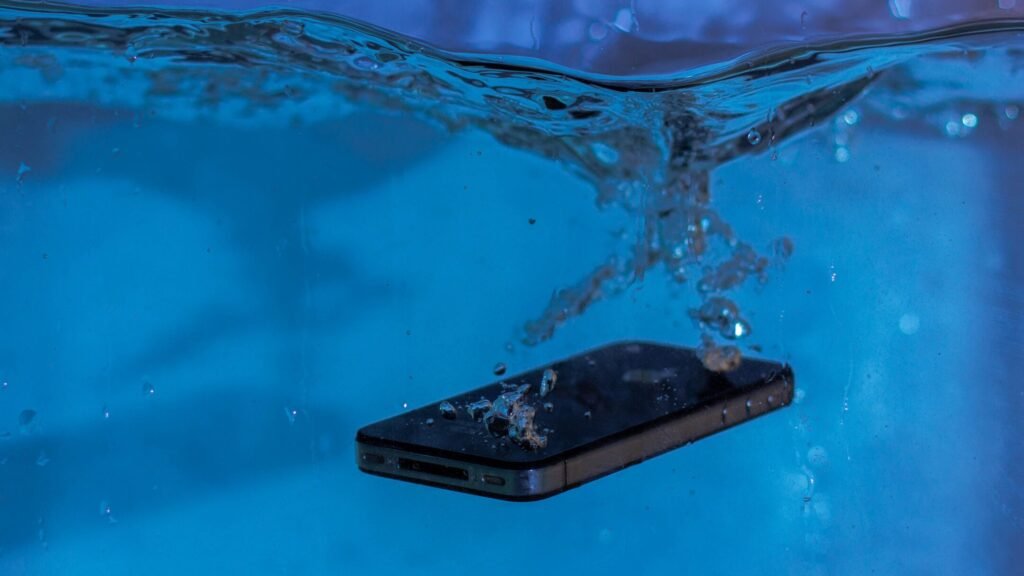
A water-damaged phone can create two emergencies at once. You may need a working phone, but you may care even more about the photographs, messages, contacts, notes, recordings, or authentication information stored inside it. Those are related problems, not identical ones. A repair shop may be able to replace a screen or charging port without offering data recovery, while a specialist may recover the files without returning a dependable phone.
Recovery can take less than an hour when the needed information already exists in the cloud. It may take a day or two when the phone only needs a safe temporary repair. A specialist laboratory may need several business days or multiple weeks when corrosion has reached the logic board. In some cases, recovery is impossible.
The first decisions matter. Repeatedly turning on a wet phone, connecting a charger, applying heat, or authorizing an erase can turn a recoverable case into a much harder one.
Quick Answer
Recovering data from a water-damaged phone can take a few minutes to several weeks, depending on where the data exists and what the liquid damaged.
- Cloud-synced data: Often accessible immediately after signing in on another device
- Existing cloud or computer backup: Usually several hours to a day or longer to restore fully
- Phone that still works safely: About 30 minutes to several hours to copy the most important data
- Straightforward hardware repair: Commonly one to three business days, depending on diagnosis and parts
- Specialist board-level or laboratory recovery: Often two to 14 business days after the device arrives
- Severe corrosion or complex component work: Two to six weeks or longer
These are practical planning ranges, not promises. One major laboratory advertises a 24-to-48-hour standard turnaround, while another lists averages of two to five business days for priority service and seven to 14 business days for standard service. Shipping, evaluation, approval, parts, encryption, and the condition of the phone can add time.
Practical Planning Ranges
| Recovery path | Typical planning time | Best fit |
| Sign in to cloud services | Minutes to a few hours | Photos, contacts, notes, mail, or app data already synchronized |
| Restore an existing backup | Several hours to a day or more | Replacing the damaged phone with a new or erased device |
| Copy from a stable, working phone | 30 minutes to several hours | Phone turns on normally and a technician says it is safe to use |
| Local repair followed by backup | One to three business days | Limited damage to the display, battery connection, port, or another replaceable part |
| Priority specialist recovery | About two to five business days | Board-level damage with valuable local-only data |
| Standard specialist recovery | About seven to 14 business days | Non-emergency laboratory work |
| Severe or previously attempted case | Two to six weeks or longer | Saltwater, long exposure, corrosion, missing parts, or complex microsoldering |
“Data Recovery” Can Mean Four Different Things
Before asking how long recovery takes, identify which result you actually need.
Finding data that was already synchronized
Your photographs may already be in iCloud Photos, Google Photos, OneDrive, Dropbox, or another account. Contacts, calendars, notes, email, and some app records may also synchronize separately. Accessing those copies is not a physical recovery from the wet phone. It is an account-access task and can be nearly immediate.
Restoring an existing backup
An iCloud, Google, Samsung, or computer backup can rebuild part of the old phone’s contents on another device. The backup must have completed before the accident, and not every service or app includes every type of data. Restoration may make the new phone usable fairly quickly while photos, apps, and messages continue downloading in the background.
Repairing the phone long enough to create a backup
Sometimes a technician does not need to make the phone reliable for daily use. The goal is to stabilize the original board, make the phone boot, unlock it with the owner’s passcode, and copy the data. A temporary data-focused repair can be appropriate when replacing the entire phone would be more sensible than rebuilding every damaged feature.
Extracting data in a specialist laboratory
When the phone will not power on or communicate normally, a specialist may clean corrosion, repair microscopic connections, replace damaged components, or transfer paired components to a compatible board. The aim is usually to restore enough of the original hardware and security chain to decrypt and copy the data. This work can require repeated diagnosis and donor parts.
The result may be a folder of recovered files, an encrypted external drive, or a device backup—not a repaired phone.
What to Do in the First 10 Minutes
If the phone has just become wet, protect people first and data second.
- Remove it from the liquid only if doing so is safe. Do not reach into energized water or touch wet electrical equipment while standing in water.
- Disconnect cables and accessories. Do not connect a charger to test the phone.
- Turn the phone off if it is on and can be shut down normally. Avoid repeated button presses after it is off.
- Remove the case. If the model has a user-removable battery, remove it. A removable SIM or memory card can also be set aside and dried externally.
- Blot the outside with a soft, lint-free cloth. Keep liquids from being pushed farther into openings.
- Leave the phone in a dry area with airflow. Do not use a hair dryer, oven, radiator, compressed air, or direct high heat.
- Check the cloud from another device. Determine what is already safe before deciding how much risk or expense is justified.
- Contact the appropriate provider. If unique local data matters, say clearly that data recovery—not routine replacement—is the priority.
Apple specifically warns against external heat, compressed air, inserting objects into the connector, and placing a wet iPhone in rice. Samsung advises powering off a waterlogged device because moisture can cause serious damage or corrosion to the mainboard.
Do Not Turn It On “Just Once” to Check
People naturally want proof that their phone survived. Unfortunately, the test itself can cause more damage.
Liquid may connect electrical points that should remain isolated. Dissolved minerals, salt, sugar, and other contaminants can make the liquid more conductive. Power flowing through wet or contaminated areas can create shorts and accelerate electrochemical corrosion. Even after visible water evaporates, residue can remain under shields and components.
One successful startup does not prove the phone is dry or stable. It may work for five minutes, long enough to tempt you to keep using it, and then fail while a backup is running.
If the device is already on and functioning, do not begin a long transfer blindly. First consider the exposure:
- A few raindrops on an intact, water-resistant phone are different from full submersion.
- Clean fresh water is different from saltwater, chlorinated pool water, soda, coffee, or floodwater.
- A phone with cracks, prior repairs, a bent frame, or an old seal has less dependable resistance.
- Heat, swelling, hissing, a chemical odor, smoke, discoloration, or a separating screen can indicate a battery hazard.
When unique data is valuable, a qualified technician should determine whether continued power is worth the risk.
Why Rice Does Not Recover Phone Data
Rice is not a data-recovery process. It does not remove mineral deposits, clean corrosion under chips, repair a shorted circuit, or restore damaged components. Small particles can also enter a connector; Apple expressly says not to place an iPhone in a bag of rice.
Desiccants and airflow can help remove ambient moisture in some circumstances, but a phone that has admitted liquid may need internal inspection and cleaning. Waiting several days in rice can give corrosion more time to develop while creating the impression that something useful is happening.
The better question is not “How long should I leave it in rice?” It is “Is my data already backed up, and should this device remain unpowered until a data-recovery professional evaluates it?”
Start With the Cloud Before Opening the Phone
The fastest and safest recovery is often somewhere other than the damaged device.
From another phone, tablet, or computer, check:
- iCloud Photos and Google Photos;
- Apple or Google contacts and calendars;
- iCloud Drive, Google Drive, OneDrive, and Dropbox;
- email accounts;
- notes and reminders;
- messaging-service backups;
- carrier or visual-voicemail access;
- password managers;
- social-media uploads and saved drafts;
- fitness, health, and smartwatch accounts; and
- any recent computer backup.
Do not assume that one “phone backup” contains everything. Apple explains that iCloud Backup stores information and settings that do not already synchronize through iCloud. Android similarly warns that not all apps can back up or restore all settings and data. A photo library, encrypted chat history, authenticator seed, downloaded file, and app database may each follow a different backup rule.
Record the date and time of the newest available backup. Then compare that point with the accident. You may discover that only the last few hours or days are missing, which changes the value of a laboratory attempt.
If the cloud has everything you need
You may not need physical data recovery at all. Set up a replacement device, restore the available backup, and allow synchronized items to return. Keep the damaged phone unpowered until you decide whether it should be repaired, recycled, or retained temporarily as evidence.
If the cloud has only part of the data
Make a written list of the irreplaceable local-only items. A specialist can then focus the evaluation on whether those specific file types or app databases can be recovered.
How Long Does a Backup Restore Take?
A replacement phone can begin restoring within minutes once you sign in and select a valid backup, but complete restoration may take several hours or longer. The timing depends on backup size, internet speed, service congestion, app downloads, photo-library size, and whether data must come from several accounts.
Google says an Android backup itself can take up to 24 hours to complete. That matters if the wet phone had only recently been told to back up; a backup that never finished may not contain the newest material.
Apple notes that an iCloud restoration can continue in the background. A phone that reaches the Home Screen is not necessarily finished. Missing photographs, messages, or app content may still be downloading, while some information may never have been included in the selected backup.
Do not erase or trade in the water-damaged phone merely because the new phone appears usable. Verify the specific items that matter first.
When the Phone Still Turns On
A phone that turns on, unlocks, and remains cool may allow a direct backup in 30 minutes to several hours. The amount of data and connection speed matter, but stability matters more.
Prioritize irreplaceable data rather than starting with a full operating-system update or hours of app synchronization. A sensible order is:
- Photographs and videos not already in the cloud;
- Voice recordings and locally stored documents;
- Messages or app exports that require the original phone;
- Contacts, notes, and calendars not associated with an account;
- Authenticator transfers and recovery codes; and
- A full encrypted computer backup, if the phone stays stable.
Keep the device where you can observe it. Stop if it becomes unusually hot, restarts, flickers, smells odd, swells, or loses touch response. Do not continue charging a physically damaged or unstable phone simply to finish the copy.
If the phone needs power to complete a critical backup, get model-specific professional guidance. Apple says not to cable-charge a wet iPhone and to allow at least five hours after liquid exposure before connecting a cable or accessory; a liquid-detection alert may take up to 24 hours to clear as the connector dries. That guidance addresses the connector, not proof that the entire interior is free of liquid damage.
When a Repair Shop Can Recover the Data
A competent microsoldering or board-repair shop may be able to recover data without a full laboratory process. Common examples include:
- replacing a damaged display so the owner can enter the passcode;
- repairing a charging or data connection;
- temporarily connecting a known-good battery;
- cleaning accessible corrosion;
- repairing a shorted power rail;
- replacing a failed component without replacing the original storage and security hardware; or
- making the original board stable long enough to create a backup.
A straightforward case may take one to three business days once the shop begins work. If the shop must order a donor device, trace an intermittent fault, or repeat ultrasonic cleaning and microsoldering, the job may take a week or longer.
Ask whether the shop performs data-focused board repair. A retail counter that replaces screens and batteries may not have the tools or experience for logic-board recovery.
When a Specialist Laboratory Is Needed
Specialist recovery is appropriate when:
- the phone will not power on;
- it boot-loops or shuts down during access;
- the logic board is visibly corroded;
- saltwater, floodwater, or a sugary drink entered the device;
- a previous shop could not stabilize it;
- the phone contains irreplaceable local-only data; or
- normal repair would replace or erase the original board.
Published service times vary widely. DriveSavers advertises 24 to 48 hours for its standard smartphone service and 10 to 14 business days for an economy smart-device service. Ontrack lists an average of two to five business days for priority recovery and seven to 14 business days for standard recovery. These are provider-stated service levels, not industry guarantees or success predictions.
Add time for:
- shipping the phone to and from the laboratory;
- intake and battery-safety review;
- diagnosis and a recoverability estimate;
- your approval of the price and scope;
- ordering compatible donor parts;
- stabilizing the board;
- unlocking and imaging the device;
- organizing and verifying recovered files; and
- returning an encrypted drive or downloadable archive.
If a damaged battery cannot legally or safely travel by the planned shipping method, transportation may require special handling. Do not mail a swollen, leaking, smoking, hot, or otherwise seriously damaged device until the recovery company or carrier provides compliant instructions. U.S. Department of Transportation guidance states that damaged or defective lithium batteries are forbidden from air transport.
Why Modern Phone Encryption Changes Recovery
Older data-recovery descriptions sometimes suggest removing the memory chip and reading it directly. That is often inadequate for a modern phone.
Apple uses Data Protection, per-file keys, and Secure Enclave-controlled key handling. Android devices commonly use file-based encryption, and current designs can use hardware-wrapped keys. In practical terms, raw flash-storage contents may be encrypted and tied to the original device hardware, operating state, and user authentication.
For that reason, a specialist may need to repair the original phone—or preserve and transplant a set of paired original components—rather than simply move the storage chip to a new board. If essential security components are destroyed, the bits on the storage may remain present but unusable.
The correct passcode is also important. A legitimate recovery provider may need the owner to unlock the device or provide the passcode under a secure procedure. Ontrack states that its engineers need the phone passcode or swipe pattern for mobile recovery. A forgotten passcode is a different problem from water damage, and a recovery company cannot promise to bypass modern encryption.
iPhone Data Recovery After Water Damage
For an iPhone, the fastest sequence is usually:
- Check iCloud Photos, iCloud Drive, Contacts, Notes, Messages in iCloud, and other synchronized services from another trusted device.
- Check the date of the most recent iCloud backup.
- Check for an encrypted Finder, Apple Devices, or iTunes backup on a computer.
- If local-only data is missing, keep the wet phone unpowered and seek data-focused service.
- Tell the provider not to erase, restore, update, or replace the device before discussing the recovery plan.
Apple’s standard repair process should not be confused with data recovery. Apple warns that a device may be erased during service and says that the cost of a third-party data-recovery attempt is not covered by its limited warranty or AppleCare plan. Apple does, however, publish information about warranty implications when an Apple-recommended third-party data-recovery company has worked on a storage device.
Avoid clicking Restore in computer recovery mode when the missing data is only on the phone. Apple states that Restore reinstalls iOS and erases the device’s data.
Android Data Recovery After Water Damage
Android recovery varies more because manufacturers, hardware designs, backup systems, and repair policies differ.
Start by checking the Google Account’s backup details, Google Photos, Google Contacts, Drive, and any manufacturer service such as Samsung Cloud. Also check app-specific backups. Some chat applications require their own cloud backup and may not be included in the general device backup.
If the phone uses a removable microSD card, that card may hold photographs or downloads separately from encrypted internal storage. Remove it only when the manufacturer permits and the phone is safely powered off. Allow the outside to dry, then have the card read with appropriate equipment. Do not format it when a computer says it needs formatting.
Google’s Pixel Repair Mode and Samsung’s Maintenance mode are designed to protect personal information during ordinary repair. They are useful only if the phone works well enough to enable them. They are not substitutes for a backup, and Samsung recommends creating a backup before service.
Do not approve a factory reset, bootloader unlock, software flash, or mainboard replacement when local-only data is the priority. Those actions can erase the information or remove the original hardware needed to decrypt it.
Water-Resistant Does Not Mean Recovery Is Guaranteed
An IP rating describes performance under controlled test conditions. It does not make a phone permanently waterproof.
Apple and Google both state that water resistance is not permanent and can decrease with normal wear, damage, disassembly, or repair. Real incidents may also involve deeper water, longer exposure, moving water, pressure, soap, chlorine, salt, impact damage, or a liquid not covered by the original test.
A phone may survive one exposure and fail during another. Its age, seal condition, frame alignment, cracks, temperature, and previous repairs all matter. A liquid-contact indicator may help confirm exposure, but it does not reveal which files are recoverable.
Fresh Water, Saltwater, Pool Water, and Other Liquids
The liquid type can change both urgency and difficulty.
Clean fresh water
Brief exposure to clean fresh water is generally less destructive than exposure to conductive or corrosive mixtures, particularly when the phone is powered down quickly. It can still reach connectors, shields, cameras, speakers, and the logic board.
Saltwater
Saltwater is especially aggressive because salt remains after water evaporates and promotes conductivity and corrosion. A phone recovered from the ocean should not be powered or charged to test it. Contact a specialist promptly and follow that provider’s handling and shipping directions.
Pool water
Pool chemicals and dissolved contaminants can leave residues. Treat submersion as more serious than a few surface splashes, even if the device has a water-resistance rating.
Soda, coffee, juice, and other drinks
Sugar, acids, milk, and additives can leave sticky or corrosive residue. Drying alone does not remove the contamination.
Floodwater or sewage
Floodwater may contain chemicals, fuel, waste, or pathogens. Avoid unnecessary handling, use appropriate protection, and tell the provider what the phone contacted. Personal safety takes priority over the device.
What Makes Recovery Take Longer?
The phone stayed powered on
Continued electrical activity can cause new shorts and corrosion. Repeated attempts may damage components that were initially intact.
Someone charged it while wet
Charging introduces power at a vulnerable connector and can worsen damage. Moisture-detection systems are meant to block this risk, but they do not cover every failure path.
Corrosion continued for days or weeks
Corrosion can spread beneath shields and components. Time is important, although there is no universal hour after which all recovery becomes impossible.
The liquid contained salt, sugar, or chemicals
Residue can remain conductive and corrosive after the visible moisture is gone. Thorough board work may be needed.
The phone was previously opened
Missing screws, damaged connectors, torn flex cables, mixed parts, or unsuccessful microsoldering can complicate diagnosis. A previous attempt does not automatically make recovery impossible, but the specialist needs an accurate history.
Original security components are damaged
Modern encryption can make certain original components essential. Repairs that would be simple on an unencrypted device may require intricate work to preserve the phone’s security relationship.
Donor parts are scarce
An older, uncommon, or region-specific model may require a compatible donor board or component that is not immediately available.
The owner cannot provide credentials
The provider may need the device passcode, Apple or Google account access, backup password, or permission to unlock the phone. Account recovery can add days and may still fail if required credentials or recovery methods are unavailable.
The data set is large or damaged
Copying hundreds of gigabytes, reconstructing directories, sorting partial files, and verifying results take longer than exporting a small group of photographs.
Repair Shop, Manufacturer, or Recovery Laboratory?
Choose based on the real priority.
| Priority | Best first contact | Important instruction |
| Phone works and data is backed up | Manufacturer or authorized repair provider | Confirm coverage, repair, or replacement options |
| Phone works but some local data is missing | Reputable data-focused repair shop | Back up before broader repair work |
| Phone is dead and data is irreplaceable | Specialist mobile data-recovery laboratory | Do not erase, update, or replace the board |
| Battery is swollen, hot, smoking, or leaking | Manufacturer, emergency services when necessary, or hazardous-waste professional | Do not charge, ship casually, or place in household trash |
| Only cloud data is needed | Apple, Google, Samsung, app provider, or account support | Recover account access and verify backup dates |
A manufacturer may solve the device problem by replacing the phone or mainboard. That can be an excellent warranty outcome and a disastrous data-recovery outcome if the only copy was on the original board.
Before handing over the phone, write on the intake form: Data is the priority. Do not erase, restore, update, or replace the logic board without my approval. Ask the provider to repeat that instruction in its work order.
Questions to Ask a Data-Recovery Company
Before authorizing work, ask:
- Do you perform mobile board-level recovery in your own facility?
- Is the initial evaluation free, fixed-price, or billable?
- Does the quoted time begin when you receive the phone or after I approve the estimate?
- Is shipping time included?
- What happens if no requested data is recovered?
- Will you attempt to return a working phone, a device backup, or extracted files?
- How will I preview or verify the result?
- How will recovered data be encrypted and returned?
- Who can access my passcode, and how is it protected?
- Do you use subcontractors?
- What security certifications or audited controls apply to the facility?
- Could the attempt affect the phone’s warranty or later manufacturer service?
- How will you handle and ship a potentially damaged lithium-ion battery?
- Will you return the original phone and all original parts?
Do not judge a provider only by a claimed success percentage. Ask how that figure is calculated, whether declined cases are included, and whether “success” means any file or the specific data you requested.
How to Improve the Chance of a Faster Recovery
You cannot undo liquid exposure, but you can avoid preventable delay.
- Keep the phone powered off.
- Do not charge it, apply heat, use compressed air, or place objects in its ports.
- Do not authorize a factory reset, operating-system restore, or mainboard replacement.
- Check cloud services and existing computer backups immediately from another device.
- Write down the exact phone model, storage size, passcode availability, liquid type, exposure time, and everything attempted afterward.
- Identify the files that matter most and their approximate dates.
- Choose a provider that specifically handles encrypted smartphones and board-level damage.
- Ask for safe shipping instructions before mailing the device.
- Respond promptly to the evaluation and estimate.
- Supply credentials only through the provider’s secure process.
Fast action means preventing further damage and reaching the correct specialist. It does not mean repeatedly testing the phone.
How to Verify Recovered Data
“Recovery complete” should not be the end of the process.
Check that:
- photographs and videos open rather than merely appearing as filenames;
- video duration and audio are intact;
- messages include the needed dates and attachments;
- contacts contain phone numbers and email addresses;
- voice recordings play completely;
- documents open without corruption;
- folders or albums are understandable;
- the newest required items are present; and
- you can access the returned backup or encrypted drive independently.
Create at least two new copies on different storage systems before deleting, recycling, or surrendering the damaged phone. If the laboratory provides an iPhone backup, understand that restoring it to an already-used iPhone may erase the newer phone first. Preserve the newer device’s data before attempting that restore.
When Data Cannot Be Recovered
No ethical provider can guarantee recovery before inspecting the device. Failure can occur when:
- essential encrypted data or security components are physically destroyed;
- the phone was factory-reset or restored;
- a required passcode is unknown;
- storage has failed beyond readable limits;
- corrosion or heat destroyed critical board layers;
- replacement of the original board removed access to local data;
- the desired information never existed locally or in a backup; or
- an app’s end-to-end encryption requires keys that are no longer available.
Physical presence of a storage chip does not guarantee readable files. Encryption is designed to prevent someone from extracting private data simply by possessing the hardware. That security also limits legitimate recovery after catastrophic damage.
If a provider cannot recover the phone, ask whether further attempts by a more specialized laboratory could worsen it. Preserve the device and the written diagnostic report while deciding. Multiple uncontrolled attempts may reduce the remaining options.
A Better Backup Plan After the Emergency
Once the immediate problem is resolved, design backup around the data—not only the phone.
- Enable automatic device backup.
- Confirm that photos and videos are actually synchronizing.
- Export authenticator recovery codes and store them securely.
- Check whether each important messaging app has its own backup setting.
- Keep an encrypted computer backup when the platform supports it.
- Store irreplaceable files in at least two independent places.
- Test that you can sign in and see recent data from another device.
- Review backup dates monthly and before travel near water.
A backup setting that says “On” is not the same as a recently completed, restorable copy. Verification is what turns a backup plan into a recovery plan.
Related Articles
If you are protecting important files or moving them to another device, these guides may also help:
- How Long Does It Take for a Deleted File to Be Permanently Erased?
- How Long Does It Take to Restore a Backup in a Computer?
- How Long Does It Take to Transfer Data to a New Phone?
- How Long Does It Take to Sync Photos to the Cloud?
- How Long Does It Take to Factory Reset a Phone?
Frequently Asked Questions
Can data be recovered from a completely dead water-damaged phone?
Sometimes. A specialist may repair the original board enough to boot and decrypt the phone, but recovery depends on which components failed. If essential storage or security hardware is destroyed, the data may be unrecoverable.
How soon should I take a wet phone to a recovery specialist?
As soon as practical, especially after saltwater, floodwater, pool water, or a sugary drink. Keep it powered off and obtain the specialist’s handling and shipping instructions. There is no universal deadline, but corrosion can worsen with time.
Should I wait 24 or 48 hours before trying the phone?
Do not treat a fixed waiting period as proof that the interior is safe. Apple’s connector guidance says a liquid alert can take up to 24 hours to clear, but a dry connector does not confirm that the logic board is undamaged. If unique data matters, seek professional guidance before powering or charging the phone.
Does putting a phone in rice help recover the data?
No. Rice does not repair circuits, remove corrosion, or decrypt data, and particles can enter the connector. Apple specifically warns against placing a wet iPhone in rice.
Can a normal phone repair shop recover the data?
Some can, especially shops that perform board-level microsoldering and data-focused repairs. Many retail repair counters only replace parts or entire boards, so ask about their capabilities and insist that no erase or board replacement occur without approval.
Will Apple or the phone manufacturer recover my data?
Do not assume so. Manufacturer service is generally focused on repairing or replacing the device, and a phone may be erased during service. Check your backups first and discuss data recovery before authorizing routine repair.
Can I recover data without the phone’s passcode?
Often not from a modern encrypted phone. The correct passcode or another authorized unlock method may be needed after the hardware is stabilized. Water-damage recovery should not be confused with bypassing device security.
Can the memory chip simply be removed and read?
Usually not as a complete solution on a modern encrypted smartphone. The stored data may depend on keys protected by original security hardware and the user’s passcode. Specialists often need the original board or a paired set of components to function.
How long does professional phone data recovery take?
Published provider schedules range from 24–48 hours for some expedited or standard services to seven–14 business days for other standard services. Shipping, diagnosis, approval, donor parts, and severe corrosion can extend the total to several weeks.
Is saltwater damage recoverable?
It can be, but saltwater is especially corrosive and conductive. Do not power or charge the phone. Prompt specialist evaluation gives the provider a better starting condition, but no company can guarantee recovery without inspection.
Does a water-resistant phone still need professional help?
Possibly. Water resistance is not permanent, and cracks, wear, previous repairs, depth, time, pressure, or chemical exposure can defeat it. Continued symptoms such as heat, restarts, camera fogging, charging alerts, or display problems justify evaluation.
Will a factory reset fix a water-damaged phone?
A factory reset does not repair liquid-damaged hardware and erases local data. Do not reset the phone when unrecovered information is the priority.
Can data be recovered from a wet microSD card?
Often, but do not format the card if a computer cannot read it. Keep it separate from the phone, allow the exterior to dry, and use a reputable memory-card recovery provider if ordinary access fails.
Is it safe to mail a water-damaged phone?
Only after checking its battery condition and following the recovery company and carrier’s instructions. A swollen, leaking, hot, smoking, or otherwise damaged lithium-ion battery requires special handling and may not be permitted in air transport.
Quick Summary
Recovering data from a water-damaged phone may take minutes when the information already exists in a cloud account, several hours to restore an existing backup, one to three business days after a straightforward repair, or two to 14 business days for specialist work. Severe corrosion, saltwater exposure, scarce donor parts, encryption complications, shipping, or previous repair attempts can extend the process to several weeks. Recovery is never guaranteed.
Turn the phone off, disconnect cables, dry only the exterior, and do not use rice, heat, compressed air, or repeated power tests. Check cloud services and computer backups from another device before risking the damaged phone. If local-only data is important, tell every provider that data—not replacement—is the priority and prohibit erasing, restoring, updating, or replacing the original board without approval.
Modern iPhones and Android phones encrypt local data using protections tied to device hardware and authentication. A laboratory may need to make the original board work long enough for the owner to unlock it. A raw storage-chip reading may not produce usable files.
After recovery, open and verify the important files and create two independent copies before giving up the damaged device.
Sources & References
- Apple Support: If You See a Liquid-Detection Alert on Your iPhone
- Apple Support: About Splash, Water, and Dust Resistance of iPhone
- Apple Support: Water and Other Liquid Damage to iPhone
- Apple Support: Prepare Your iPhone or iPad for Service
- Apple Support: Data Recovery and Warranty Implications
- Apple Platform Security: Encryption and Data Protection Overview
- Apple Support: Back Up iPhone
- Apple Support: Restore an iPhone From a Backup
- Android Open Source Project: File-Based Encryption
- Android Help: Back Up or Restore Data on Your Android Device
- Pixel Phone Help: Use Repair Mode for Repair Services
- Google Pixel Help: Hardware Technical Specifications and Water-Resistance Limitations
- Samsung Support: What to Do When a Phone Is Dropped in Water
- Samsung Support: Moisture in a Phone’s Charging Port
- Samsung Support: Use Maintenance Mode
- DriveSavers: Smartphone and Tablet Data-Recovery Service Times
- Ontrack: Mobile Phone Recovery Process and Service Times
- U.S. Environmental Protection Agency: Used Lithium-Ion Batteries
- U.S. Department of Transportation PHMSA: Lithium Battery Guide for Shippers
Editorial Review
Reviewed by Claire Bennett, Managing Editor
Last reviewed: August 2026
Quick Answer Guide publishes practical, research-based answers to common questions about money, technology, health, travel, home improvement, and everyday life. Content is reviewed using official government resources, educational institutions, industry publications, and other authoritative sources when appropriate. Articles are updated periodically to improve accuracy and usefulness.